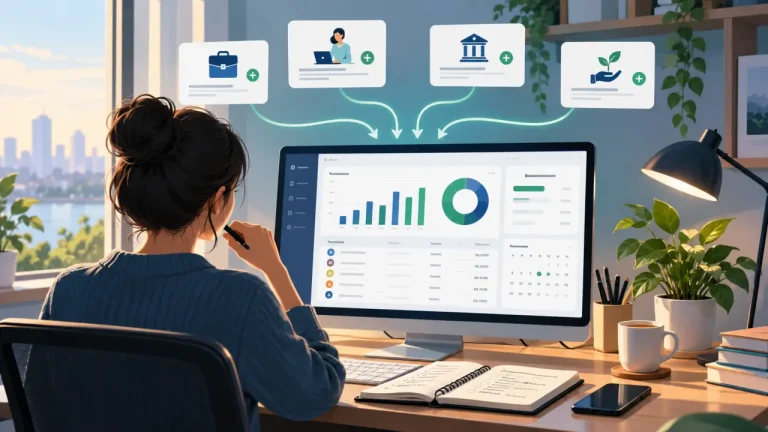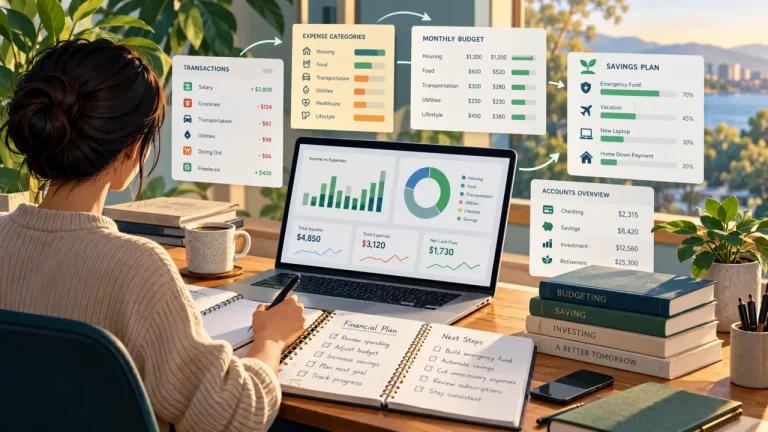
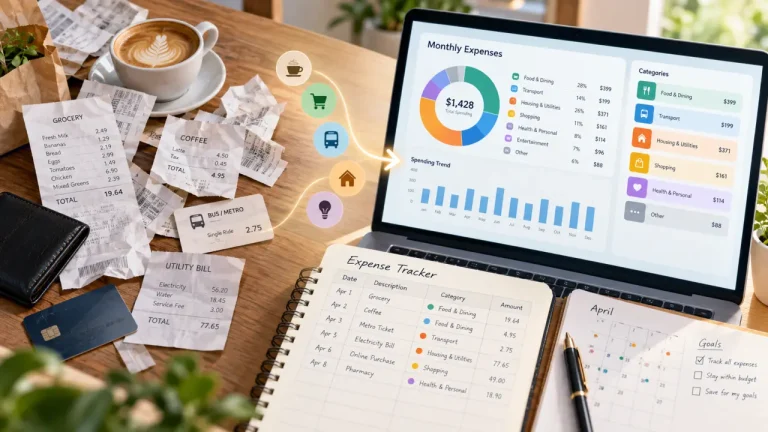
Expense tracking is simply the habit of keeping a clear record of the money you spend. Done well, it gives you something far more useful than a long list of purchases: a reliable picture of where your money actually goes.
You do not need to record every possible detail. You need enough information to answer practical questions later: What did I spend? When did I spend it? What was it for? Which kinds of expenses keep repeating? Did anything unusual happen this month?
A simple way to think about the process is:
Capture → Classify → Review → Improve
You record what happened, organize it in a useful way, review the result, and adjust either your tracking system or your financial habits based on what you learn.
That approach can work in a notebook, spreadsheet, personal finance app, or another system that suits you. The important part is not choosing the most complicated tool. It is building a record you can keep up with.
What is expense tracking?
Expense tracking means recording money going out and keeping enough context to understand those transactions later.
A basic expense record might include the date, amount, a useful description, a spending classification, and the account or payment source. You can add notes when a transaction needs more explanation.
The goal is not just to collect transactions. It is to make them understandable.
For example, this record tells you very little:
Shop — 42.50
A clearer record might be:
Weekly groceries — 42.50 — Groceries — Cash
Weeks or months later, the second version still tells you what happened and where that expense belongs.
Expense tracking is not the same as budgeting
The two are closely connected, but they answer different questions.
Expense tracking asks: What happened?
Budgeting asks: What do I plan to do with my money?
Your expense history can make a budget more realistic because you are planning from actual spending instead of guesses. But you can track expenses without maintaining a formal budget.
If you want to go deeper into planning, read our guide to personal budgeting.
Why clear expense records are useful
Spending can be surprisingly hard to reconstruct from memory. A household might use cash, cards, several Financial Accounts, subscriptions, online purchases, and one-off payments in the same month.
A consistent expense record brings those pieces together.
- See where money is going.
- Spot recurring costs.
- Notice irregular or occasional expenses.
- Compare one period with another.
- Review spending by type.
- Find missing or unclear transactions.
- Build a better starting point for budgeting and cash-flow review.
The important part is recording what actually happened rather than what you think should have happened. Expense tracking works best as an observation system first. You can decide what, if anything, you want to change afterward.
This also makes expense tracking a natural part of broader personal money management and financial organization.
What should you record for each expense?
A good system balances usefulness with effort. Record too little and your history becomes difficult to understand. Record too much and tracking can start to feel like administrative work.
For most personal expense records, the following fields are a practical starting point.
| Field | Why it matters | Example |
|---|---|---|
| Date | Shows when the expense happened | 14 October |
| Amount | Records how much was spent | 42.50 |
| Description | Explains what the transaction was | Weekly groceries |
| Classification | Groups similar spending | Groceries |
| Account or payment source | Shows where the money came from | Cash |
| Notes | Adds extra context when useful | Included household supplies |
Date
Use the transaction date consistently. It lets you review spending by week, month, or another period and makes it easier to compare your record with receipts or account history.
Amount
Record the amount that was actually paid. Consistent amounts are what make later totals and comparisons possible.
Description
Keep descriptions short, but make them useful to your future self.
Less useful: Store
Clearer: Weekly groceries
Another example:
Less useful: Online
Clearer: Music subscription
You should be able to understand a transaction later without having to investigate it again.
Classification
Classifications group similar spending together. Common examples include Housing, Groceries, Dining, Transportation, Utilities, Healthcare, Shopping, Entertainment, Education, and Travel.
There is no single classification system everyone needs to follow. Use groups that help you answer the questions you care about.
Account or payment source
It can also help to record where the money came from, such as cash, a checking or current account, or a card.
This is different from classification. Groceries describes what kind of expense it was. Cash or a particular account describes where the money came from.
Notes
Notes are useful when a transaction needs extra context, but they do not need to become another chore.
For example:
Appliance repair — 185 — Home maintenance — Card
Note: Emergency replacement part
For an ordinary coffee, bus fare, or grocery purchase, a separate note may add nothing useful.
How to start tracking expenses
1. Pick one main place to keep your records
Choose where your expense history will live. It could be a notebook, spreadsheet, personal finance app, or another system.
Using several disconnected records at once can make it harder to work out which one is complete.
2. Start with a small set of spending groups
A dozen useful classifications are often easier to maintain than dozens of very specific ones.
You can always add more detail later when there is a real reason for it.
3. Record expenses consistently
Include electronic payments and cash if both are part of your day-to-day spending.
Cash can be particularly easy to miss because there may be no consolidated digital history to check later. If cash makes up a meaningful part of your spending, give it the same attention as card or account transactions.
If cash is a frequent part of your finances, the planned guide to cash expense tracking covers that workflow in more detail.
4. Fill in the gaps
You will occasionally forget something. That is normal.
Use receipts, card histories, account records, subscription confirmations, or other available records to catch meaningful omissions.
5. Review what you recorded
Ask practical questions:
- Which types of spending were largest?
- Which expenses kept repeating?
- Was anything unexpected?
- Which costs were irregular?
- Are any transactions missing?
- Do my classifications still make sense?
6. Improve the tracking system itself
If you constantly fall behind, adding more rules is rarely the answer.
Shorten descriptions. Merge classifications that are difficult to distinguish. Stop collecting fields you never use. Make the process easier to maintain.
A simple system that stays current is more valuable than a detailed system you stop using.
How should you classify expenses?
Classification is what turns individual transactions into something you can review as a group.
Without it, you may know that you spent 42.50 in one place and 27.00 somewhere else. With consistent classifications, you can see how much went toward groceries, transportation, housing, entertainment, or another area.
Start broad
A simple structure might begin with:
- Housing
- Food
- Transportation
- Utilities
- Healthcare
- Shopping
- Entertainment
- Education
- Travel
- Other
You can divide an important group further when the extra detail is useful.
For example:
- Food
- Groceries
- Dining
- Transportation
- Public transport
- Fuel
- Ride services
The goal is not to build the most elaborate hierarchy possible. It is to make your records easier to understand.
For a deeper look at this part of the process, see expense tracking by category.
Keep classification separate from other transaction details
It helps to keep a few concepts distinct:
- Expense or Income: Is money going out or coming in?
- Classification: What kind of transaction is it?
- Purpose: Why does the transaction exist at a higher level?
- Financial Account: Which financial container is associated with it?
In OHisab, user-managed classifications are called Tags and Sub-Tags. They are separate from Direction, Purpose, and Financial Account.
How much detail is enough?
The right amount of detail is the amount you can maintain and actually use.
Too little
A record such as Payment — 75 preserves the amount, but not much else. If most of your records look like that, understanding them later becomes difficult.
Enough to be useful
For many people, a useful record answers five questions:
- When did it happen?
- How much was it?
- What was it?
- What type of expense was it?
- Where was it paid from?
For example:
10 October — 75 — Household groceries — Groceries — Card
More detail than you need
Every extra field takes time to maintain.
If you record the merchant address, receipt number, exact location, purchase channel, project, household member, and a long note for every personal purchase but never use most of that information, the system is becoming harder without becoming more useful.
A good rule is: collect information because you expect to use it, not simply because your tool gives you another field.
Notebook, spreadsheet, or app: which approach fits?
There is no universally best way to track expenses. Different methods trade convenience, flexibility, automation, reporting, privacy, and control in different ways.
| Method | Setup | Ongoing effort | Flexibility | Reporting | Automation |
|---|---|---|---|---|---|
| Notebook or manual log | Very low | Higher | Moderate | Low | None |
| Spreadsheet | Low to moderate | Moderate | Very high | Moderate to high | Formula/import dependent |
| Manual personal finance app | Low | Moderate | Product dependent | Usually stronger | Limited to moderate |
| Bank-connected app | Moderate | Often lower | Product dependent | Usually strong | Higher |
Notebook or manual log
A notebook can work well when you want the simplest possible setup. The trade-off is that totals, comparisons, and reporting usually require more work later.
Spreadsheet
A spreadsheet gives you a lot of control. You can decide exactly which fields to keep and build formulas or summaries around them.
The downside is maintenance. As the number of records grows, keeping everything consistent may take more work.
If this approach suits you, see our guide to a personal finance spreadsheet.
Personal finance app
A dedicated app can make structured records, filtering, classifications, and reports easier to manage than building everything yourself.
Features and data practices vary, so evaluate the specific product rather than assuming every personal finance app works the same way.
Our personal finance app guide looks at the main factors to consider when choosing one.
Bank-connected app
Some finance apps connect directly to financial institutions and automate part of transaction collection. That can reduce manual entry, but bank connectivity is not required for useful expense tracking.
If you prefer manual control, use institutions that are not supported by a particular app, or simply do not want bank connectivity to be a requirement, you can still build a useful system. Read how to track expenses without a bank connection for a more focused workflow.
Build a routine you can keep using
A good expense-tracking system is not the one that looks impressive on the first day. It is the one that still works several months later.
You might use a routine like this:
- At the time of purchase: record the expense when convenient.
- Daily: fill obvious gaps.
- Weekly: reconcile records and fix unclear classifications.
- Monthly: review totals, recurring costs, and larger patterns.
These are examples, not rules. Some people prefer recording each transaction immediately. Others find a weekly review easier to maintain.
If you want a more focused routine, continue with our guides to daily expense tracking and monthly expense tracking.
Make entry easy
Small choices can reduce the effort:
- Use short, consistent descriptions.
- Reuse classifications instead of constantly inventing new ones.
- Keep one primary record.
- Use notes only when they add context.
- Reconcile several transactions at once if that works better for you.
Do not forget irregular expenses
A normal month may not contain every expense you eventually need to deal with.
Examples include:
- insurance payments;
- home or vehicle repairs;
- medical expenses;
- school costs;
- gifts;
- travel;
- annual subscriptions.
Looking across a longer period helps keep these costs from disappearing from your financial picture.
How to review your expense records
Recording transactions is only useful if you eventually look at them.
Check whether anything is missing
Did you track card purchases but forget cash? Was one account left out? Are recurring subscriptions present?
A neatly organized record can still be misleading if a meaningful amount of spending is missing.
Review spending by type
Look at major groups such as housing, groceries, transportation, dining, healthcare, and entertainment.
The first goal is to understand the numbers, not to label a category as good or bad.
Compare one period with another
Changes can be useful when they have context.
- Transportation may rise after a commute changes.
- Utilities may vary by season.
- Dining may fall while grocery spending rises.
- A repair may create a one-month spike.
A change is not automatically a problem. The record helps you understand why it happened.
Look at cash flow, not just isolated expenses
Expense records become more useful when viewed alongside income. That broader view helps show whether money coming in and money going out are moving in a sustainable direction.
Our guide to personal cash flow explores that relationship in more detail.
Common expense-tracking mistakes
Starting with too many classifications
A complicated structure can feel organized at first and become frustrating later. Start broad. Add detail when you have a reason to use it.
Ignoring cash
If cash is part of your normal spending, leaving it out creates an incomplete picture.
Using inconsistent descriptions
If similar transactions are described differently every time, searching and reviewing them becomes harder. A simple naming convention helps.
Only recording spending you want to change
Expense tracking should reflect reality. Rent, insurance, groceries, gifts, entertainment, travel, and everything else that matters to your financial picture belong in the record whether or not you intend to change them.
Forgetting non-monthly costs
Annual, quarterly, seasonal, and unexpected expenses can be important even though they do not appear every month.
Collecting information you never use
More fields do not automatically mean better records. If a piece of information never helps you answer a question, it may not be worth recording every time.
Never reviewing what you recorded
A list of transactions is only a list until you use it. Periodic review is what turns records into understanding.
Think about privacy and control over your financial records
If you use a digital service to track expenses, convenience is not the only thing worth considering.
You may also want to ask:
- What financial data does the service collect?
- Does it require access to a bank account?
- Who can access your records?
- Can you export your transaction history?
- What format is the export in?
- Can you delete your financial records?
- What happens to your data if you stop using the service?
Manual tracking is not automatically secure, and automation is not automatically unsafe. Look at the actual privacy, security, and data-control practices of the system you choose.
How OHisab can help organize expense records
OHisab is built around structured personal finance records. You can create Expense and Income transactions and keep information such as the date, amount, description, Financial Account, Tag or Sub-Tag, and notes with the transaction.
You can also filter transaction records and use reports to review information such as income and expenses, spending by Tag, cash flow, Financial Account balances, and net worth as a reporting metric.
The same principle used throughout this guide applies:
Record the transaction → organize it consistently → review the result.
OHisab does not require expense tracking to begin with bank synchronization, and it should not be confused with an automatic bank-import or full budgeting service.
If you already use OHisab, log in to your account and start with the transactions you want to organize. If you are new, you can register for OHisab.
If you cannot access an existing account, use the forgot password page. For questions about OHisab or the website, you can also contact us.
A simple expense-tracking checklist
- Choose one main place to keep your expense records.
- Record the date and actual amount.
- Use descriptions you will understand later.
- Classify similar expenses consistently.
- Record the account or payment source when it helps.
- Add notes only when they provide useful context.
- Include meaningful cash spending.
- Remember irregular and less-frequent expenses.
- Check occasionally for missing transactions.
- Review patterns instead of only collecting records.
- Keep your classification system simple enough to maintain.
- Remove fields that create work without adding useful information.
If this list feels like too much, simplify it. Expense tracking should make your financial life clearer, not create another system you have to struggle to maintain.
Start with a record you can actually maintain
You do not need a complicated setup to understand where your money goes.
A clear record of when you spent money, how much you spent, what it was for, how you classified it, and where the money came from already gives you a useful foundation.
From there, keep the process straightforward:
Capture what happened. Classify it consistently. Review the patterns. Improve the system when something is not working.
The tool can be a notebook, spreadsheet, finance app, or another method. What matters is whether the record is complete enough to trust, simple enough to maintain, and clear enough to help you understand your spending.
Once you have that foundation, you can go deeper with daily expense tracking, monthly expense tracking, or a broader personal money management system.